¶ Launcher
¶ Overview
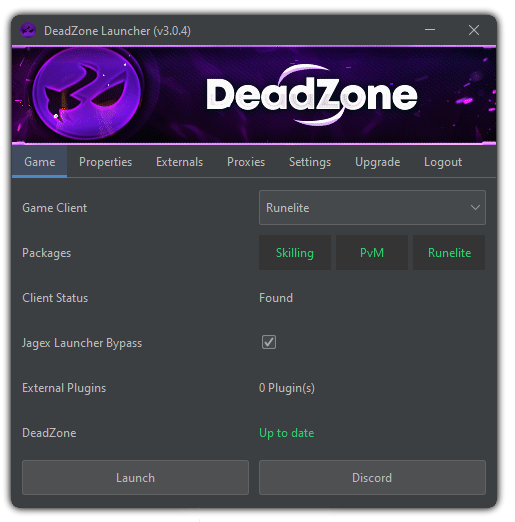
The DZ Launcher is all encompassed application to help users install and manage and install DeadZone alongside any compatible plugin for Runelite and any OPRS derived client with a variety of helpful features
¶ Installation
The DeadZone Launcher is easy to install and is supported on both Windows and MacOS (support for Linux is not available but an option for manual installation is available for 3pc clients, though, runelite injection is not).
You can easily download the new launcher through the #download channel.
¶ Windows
For Windows simply run the installer and launch from the start menu 'DZLauncher'
¶ MacOS
For MacOS simply open the .dmg and drag DeadZone into applications.
If you get this popup:
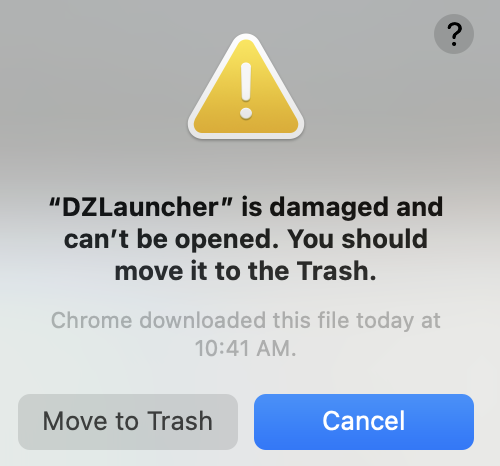
Run the following command
xattr -c <path/to/DZLauncher.dmg>
¶ Properties
Automatically clean your Runelite properties file after using DZ so users can sign in and sync Runelite settings if they wish. We recommend always cleaning your properties file prior to syncing with Runelites account feature. You can always copy back DZ settings through the same menu so you don't have to reconfigure DZ plugins every time you want to sync your Runelite properties
¶ Externals
We've provided an easy to use external loader which will inject desired Runelite compatible plugins through a plugins folder available in the .runelite directory. Therefore, you can load DeadZone and other providers plugins / utilities alongside. We even have some free ones in our discord, you can find them under #ported-plugins.
¶ Proxies
Optionally, you can easily create, store and then select the SOCKS5 proxy you'd like to use for Runelite.
¶ Settings
A few QoL settings can be found under here, such as Increased Runelite Memory, to stop your runelite crashing from low memory issues. Also a quick way to find your way to your logs directory.
¶ Auto-updater
Our launcher will keep you up-to-date with the latest version of DeadZone so you are always using the latest security methods and plugins.
¶ "Can't save to that location"
If you're getting an error like this, it usually means there's administrator issues on your PC. Either allow it, or log into an administrator on the PC. This usually happens on work PCs.
¶ Plugins not showing
If you have used another provider, re-install runelite
¶ Jagex Launcher pressing play doesn't open runelite
Reinstall JL and Runelite
¶ Authentication hangs/loads on the discord login
Make sure nothing else on your PC is using port 8080 -
You can do so by running this command in CMD: "netstat -ano | findstr :8080"
You will then most likely see some processes in there.
To get rid of whatever is running, use this command:
"taskkill /PID 6072 /F" (6072 needs to be replaced with the Process ID of whatever is running on your PC)
¶ Unable to save/download DeadZone Installer
Allow the download in your anti virus and make sure your browser isn't blocking the download
¶ Failed to download latest version
Whitelist DZLauncher in your anti virus